DevOps Automation Platform for faster deployment, backed by a DevOps expert

CloudLaunchPad is a self-service deployment platform that automates your DevOps workflows across AWS and Azure environments — from application deployment and CI/CD pipelines to infrastructure management and monitoring, with a human (Expert DevOps Engineer) in the loop.

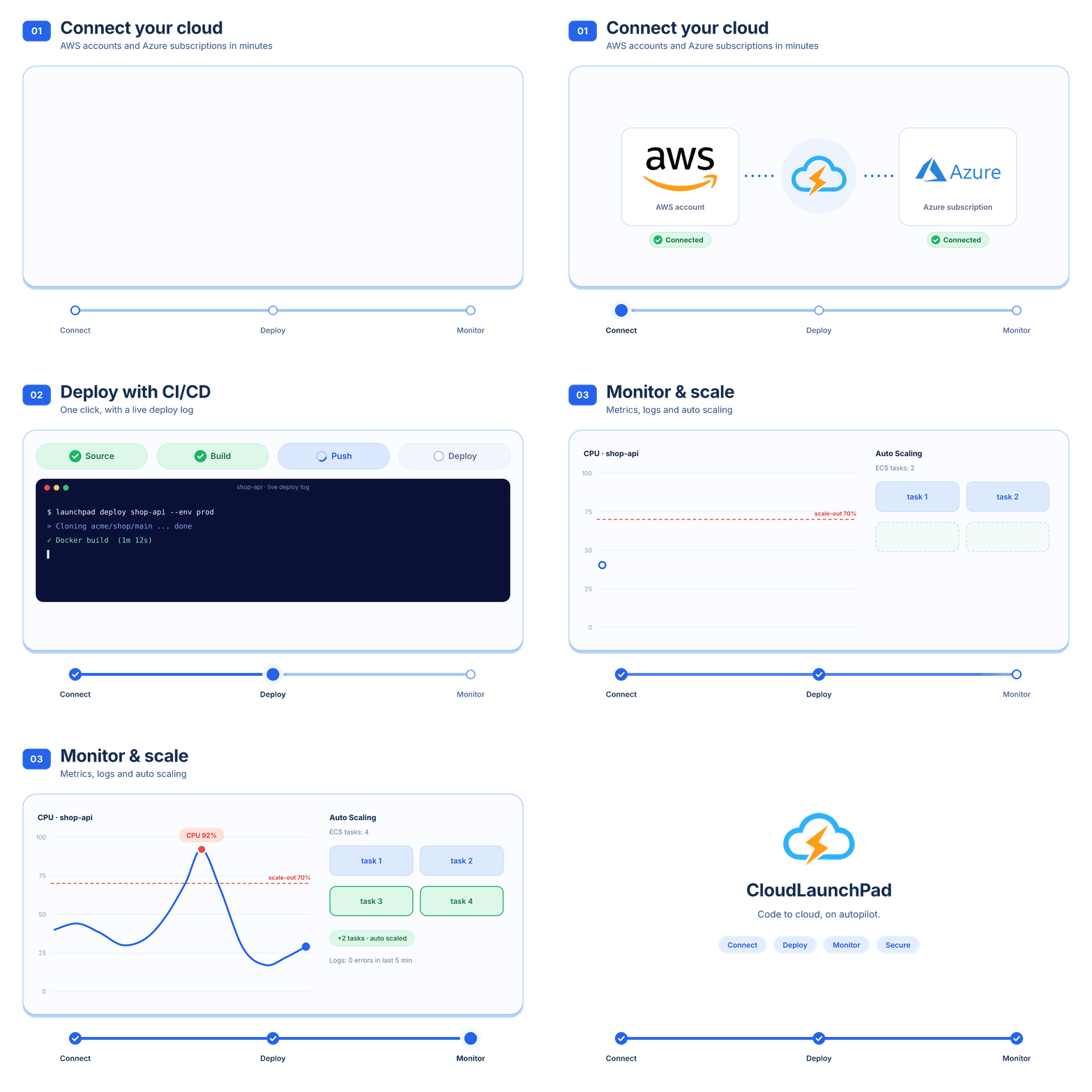
cloudlaunchpad Flow
Annual Savings$120K+Saved vs hiring DevOps
Cloud cost reduction30%Average cloud spend cut
Go live in2 hrsFrom signup to deployment
Trusted by80+Companies across 3 countries
AWS Certified Partner
AWS Qualified Software
Deploy in Your Own Environment
Zero Lock-In
Sound familiar?

Managing the cloud shouldn't be your team's full-time job

For most software service companies, product companies and tech startups, managing the cloud takes engineering time that should go into the product.

CTO doing DevOps

Your CTO's time goes to infrastructure instead of product.

Broken releases

Dev, staging and production are set up differently, so releases fail.

Rising cloud bills

Costs keep going up and you can't see why.

Slow onboarding

New developers wait weeks to make their first deployment.

Risky scaling

The setup wasn't built for the traffic you have today.

Manual security

Access roles and secrets are set up manually and inconsistently.

With CloudLaunchPad, your team gets back to building the product.

Automation takes care of the routine work. On every paid plan, a DevOps expert is available for anything automation can't solve.

  • Faster releases
  • Lower cloud cost
  • Fewer late-night alerts
CloudLaunchPad – How it works
How it works

From code to live deployment in four steps

  1. Connect Your Cloud

    Securely link your AWS or Azure environment. CloudLaunchPad runs entirely inside your own environment.

  2. Connect your repository

    Link your GitHub repo. CloudLaunchPad reads your codebase and sets up pipelines automatically.

  3. Environments go live

    Dev, Staging and Production are ready within hours, with consistent configuration and monitoring built in.

  4. Ship. Scale. Repeat.

    Every code push triggers your pipeline automatically. Scale your application infrastructure when you need to.

Platform Features

Automate deployments, scaling and monitoring from one platform

Skip the manual setup and scripts. Your pipelines, environments, cost tracking and security checks are ready to use, with a DevOps expert there whenever you need help

</>

CI/CD Pipeline Automation

Push your code and CloudLaunchPad handles the rest. It automatically sets up and runs your deployment pipeline using Jenkins, managing builds, tests, and deployments from day one. Deploy applications across AWS and Azure through one unified workflow.

⧉

Multi-Environment Setup, Backup & Rollback

Get your Dev, Staging, and Production environments running with consistent configurations. Download project files and database backups whenever needed, and roll back to a previously deployed version to recover from deployment issues.

☁

Kubernetes Deployment & Auto Scaling

Deploy applications on AWS EKS and Azure AKS through CloudLaunchPad. Set minimum and maximum scaling limits to manage application resources as needed, while simplifying application deployment and infrastructure management across cloud environments.

🛡️

Live Tracking, Cost Optimization & Security

Stay ahead of infrastructure issues with performance dashboards, centralized logs, and proactive alerts. Monitor AWS and Azure cloud costs, identify resource optimization opportunities, and get recommended steps to resolve security threats and keep your applications running smoothly.

▤

CloudLaunchPad Copilot

Access your AWS infrastructure information through simple conversations. Retrieve resource details, logs and performance data, review configurations, and get contextual guidance on infrastructure, costs, and security — without manually navigating multiple AWS services.

👤

Expert DevOps Support, On Demand

Get access to dedicated DevOps hours whenever you need expert assistance. From troubleshooting deployment issues to improving cloud infrastructure, get guidance from experienced DevOps engineers without the cost and commitment of hiring a full-time specialist.

Our Plans

Flexible Pricing Plans Tailored to Your Needs

Trial
$0 per month
  • 1 User
  • –
  • 1 Project
  • Email Support
  • –
  • –
Try for Free
Startup
$99 per month
  • 5 Users
  • 2 hours of devops expertise
  • Upto 2 Projects
  • Email Support
  • –
  • Onboarding assistance and documentation portal
Get Started
Growth
$499 per month
  • 20 Users
  • 10 hours of devops expertise
  • Up to 20 projects
  • Email & Zoom Support
  • Dedicated Customer Success Manager
  • Onboarding assistance and documentation portal
Get Started
Enterprise
Customize
  • Unlimited Users
  • Custom hours of devops expertise
  • Unlimited projects
  • Email & Zoom Support
  • Dedicated Customer Success Manager
  • Onboarding assistance and documentation portal
Get Started

Supported Tech & Frameworks

Node.js Python Java React Angular Vue Docker Kubernetes Jenkins AWS EKS Amazon EC2 Microsoft Azure Azure AKS RDS Redis Kafka RabbitMQ Prometheus Grafana GitHub GitLab Bitbucket
Who it's for

DevOps for Tech Startups & Software Teams That Are Done Fighting Infrastructure

CloudLaunchPad is built for teams that need enterprise-grade DevOps without an enterprise team or budget.
DevOps platform for SaaS

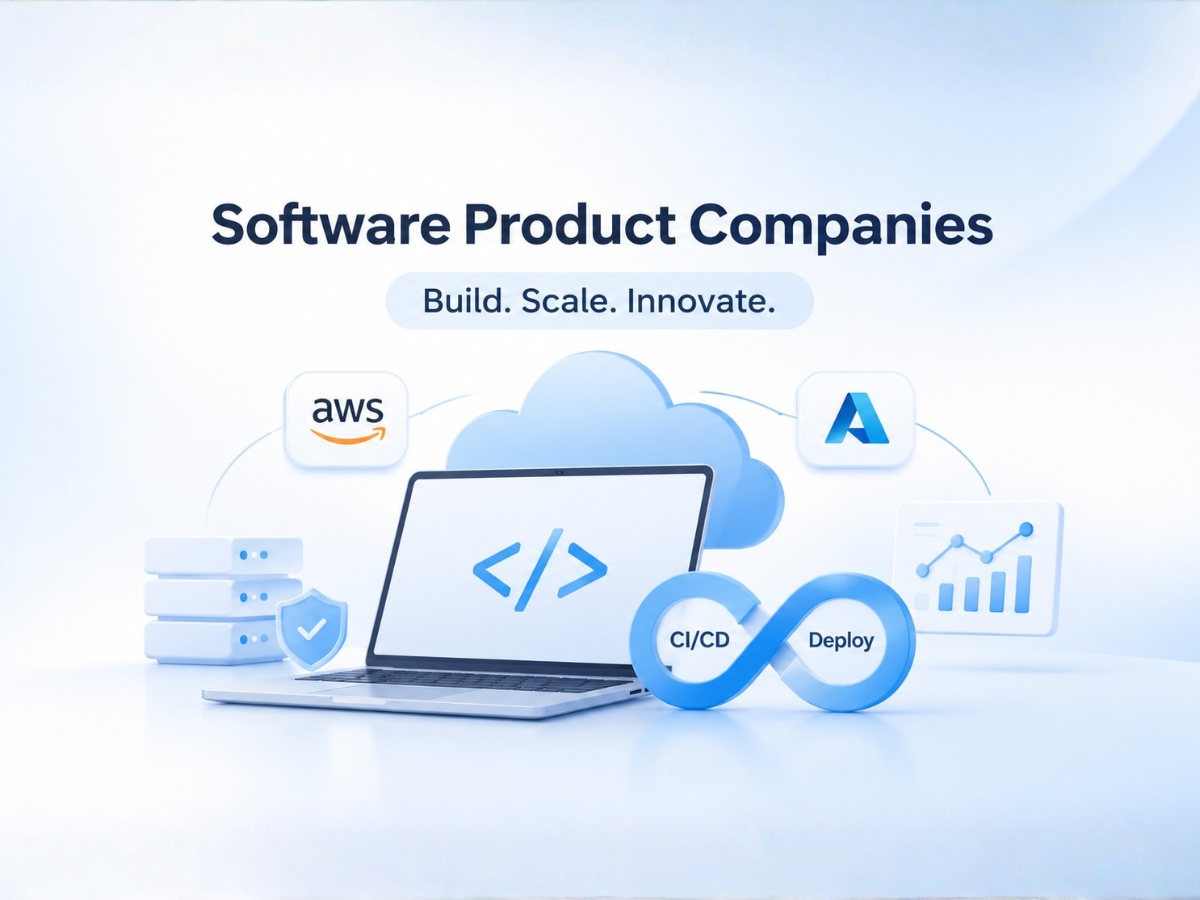
Software Product Companies

Build, deploy, and scale your software products without infrastructure bottlenecks. Automate CI/CD pipelines, manage multiple cloud environments, monitor application performance, and optimize infrastructure costs across AWS and Azure — while your engineering team focuses on building and improving your product.
Card two image

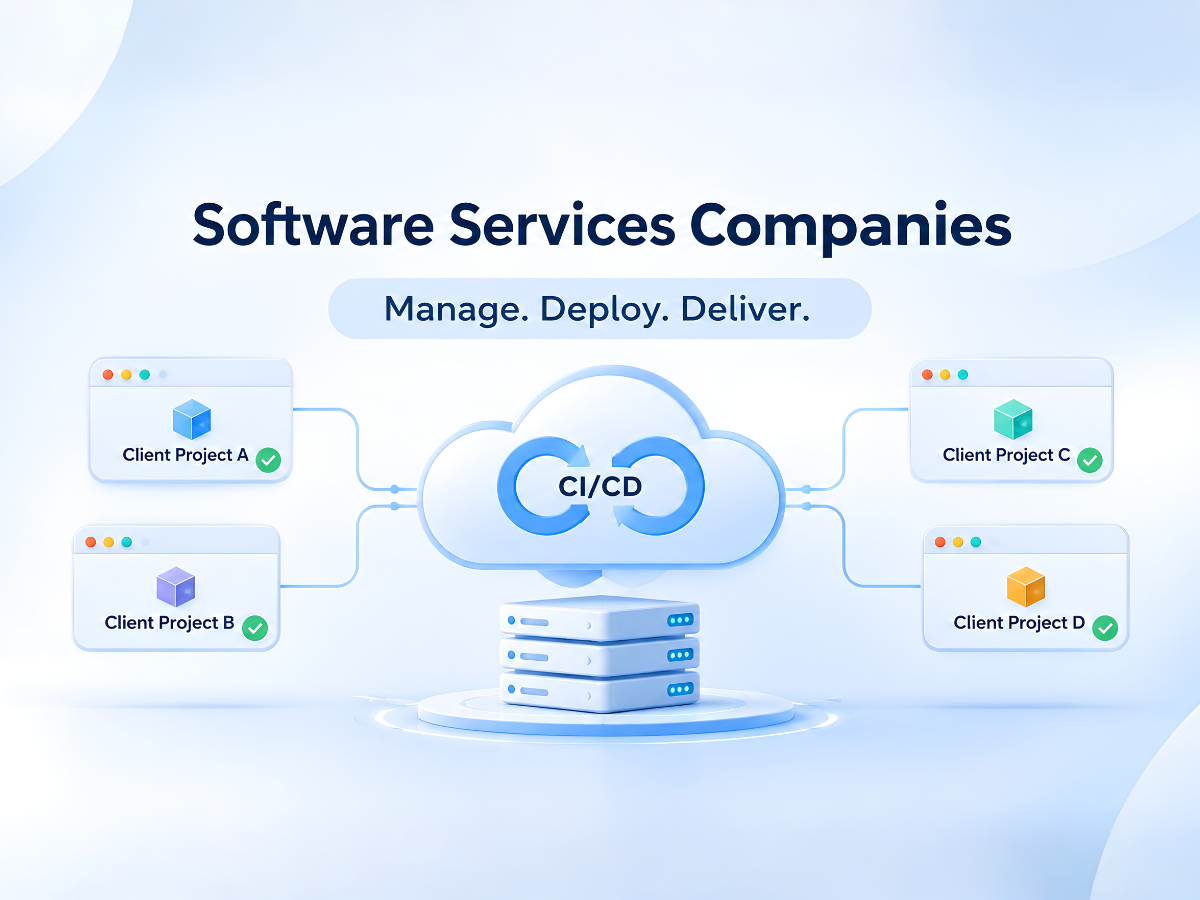
Software Services Companies

Manage deployments and infrastructure across multiple client projects without the operational complexity. Automate CI/CD workflows, maintain consistent development, staging, and production environments, and simplify cloud resource management — helping your team deliver projects faster and focus on client requirements.
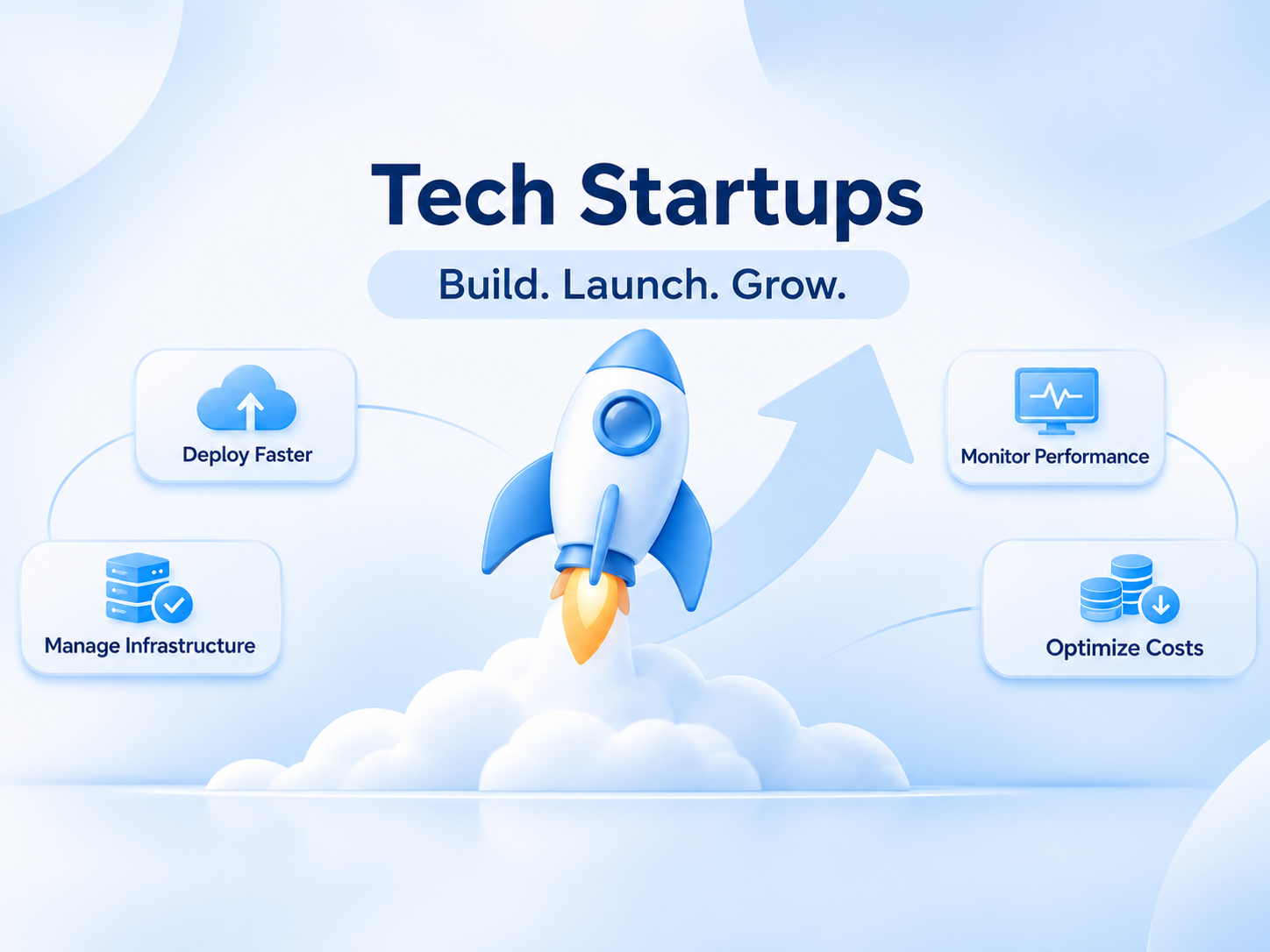
Tech Startups

Launch your product faster without the overhead of building a dedicated DevOps engineer. Automate deployments, manage cloud infrastructure, monitor performance, and optimize resource costs. Get access to expert DevOps support when needed, so you can focus on product development and business growth.

Testimonials

Manoj Kumar

CloudLaunchPad is a uniquely crafted solution for companies that want to simplify DevOps without compromising on power or flexibility. As a CTO, I see immense value for fast-scaling teams—especially those with lean DevOps resources. With its intuitive interface, prebuilt automation, and seamless AWS integration, it’s a must-have for any tech team aiming for speed, stability, and scalability.

Manoj Kumar – CTO

Hardik Doshi

I’ve explored several DevOps tools, but CloudLaunchPad stands out with its smart automation and developer-friendly design. It takes the complexity out of deployment pipelines and lets engineering teams focus on product delivery. I’ve personally witnessed how effortlessly it enables DevOps automation—making it an ideal fit for startups and growing tech companies.

Hardik Doshi – Digital Transformation Leader

Virendra Ahir

Scaling used to be stressful. With Kubernetes and Amazon EKS managed by CloudLaunchPad, we scale automatically and monitor everything in real time. It’s peace of mind

Virendra Ahir – Founder
Your next deployment should take
hours, not weeks.

Start free. Connect your AWS or Azure account. Get your application deployment automation running today — with a DevOps expert in the loop.

FAQs

Questions teams ask us

Why should I trust CloudLaunchPad with my cloud account?
CloudLaunchPad never hosts your workloads outside your account. All deployments and infrastructure run inside your own AWS or Azure account. We only automate the setup and pipelines using best practices. You keep 100% ownership and control. If you stop the subscription, your workloads remain intact.
How much time/money can this really save me compared to a DevOps hire?
A skilled DevOps engineer costs $80k–$120k per year. With CloudLaunchPad, you save the equivalent of 1 full-time DevOps resource per project, while still getting enterprise-grade CI/CD. And remember — over 1 in 3 companies are still deploying manually without CI/CD. That means they’re wasting weeks of engineering time and risking downtime. CloudLaunchPad gives you automation in hours, not months.
What’s the ROI if my team is already managing with GitHub Actions or scripts?
CloudLaunchPad is more than CI/CD. It builds the entire environment on AWS or Azure (servers or Kubernetes clusters, load balancers, env files, scaling policies), supports cloud cost optimization, and provides monitoring. GitHub Actions covers only part of this. CloudLaunchPad automates the full DevOps lifecycle.
Will my IP/code/data remain secure?
Yes. Your code stays in your GitHub repo, and CloudLaunchPad only connects to deploy. No code or data is ever copied outside your infrastructure. Cloud credentials are encrypted, and access is limited to what is needed (least privilege, using IAM roles on AWS).
How fast can I go live with my MVP if I start today?
Typically within a few hours. CloudLaunchPad auto-creates your environment and pipeline. What usually takes weeks with manual DevOps is reduced to a same-day setup.
Which cloud platforms does CloudLaunchPad support?
CloudLaunchPad supports AWS and Azure, so you can deploy to either from one platform. Support for more cloud platforms is on our roadmap.
If my team scales, will CloudLaunchPad scale with me?
Yes. You can start simple, and when you scale, move to Kubernetes with auto-scaling, monitoring and microservices on AWS or Azure. All of it is supported by CloudLaunchPad.
How does CloudLaunchPad integrate with my existing GitHub/GitLab repos?
You connect via credentials or tokens. CloudLaunchPad fetches the repo, lets you choose branches, and builds a CI/CD pipeline directly from your repo. This means you don’t stay stuck in the group of 30%+ companies still relying on scripts/manual deployment.
Can I customize the CI/CD pipeline or is it rigid?
CloudLaunchPad creates a default Jenkins pipeline with industry best practices. Tech leads can further customize stages (tests, approvals, build rules). It’s flexible, not locked.
What happens if Jenkins goes down? Do I get support?
Yes. Jenkins is deployed inside your own cloud infrastructure. If it goes down, CloudLaunchPad monitoring detects it and you can restart it. Our support team helps with recovery.
Does CloudLaunchPad support microservices deployment and service discovery?
Yes. In Kubernetes mode, CloudLaunchPad auto-deploys services, ingress, and load balancing. Service discovery is managed by Kubernetes DNS.
How does it handle environment variables and secrets securely?
CloudLaunchPad stores them encrypted at rest. Access is controlled through your cloud account’s permissions (IAM on AWS).
Can I plug in monitoring/logging tools (Prometheus, Grafana)?
Yes. CloudLaunchPad natively integrates with Prometheus/Grafana for richer dashboards.
What’s the rollback mechanism if a deployment fails?
Pipelines support automatic rollback to the last successful build. For Kubernetes, failed pods auto-revert to previous stable deployments.
How do I migrate an already running project into CloudLaunchPad?
Import your repo, select the infrastructure type, and CloudLaunchPad optimizes deployments. It won’t disrupt running workloads. It adds automation for future deployments and optimization.
Do I need to learn Kubernetes/Docker to use CloudLaunchPad?
No. CloudLaunchPad abstracts the complexity. You just push your code, and CloudLaunchPad manages the build and deploy. That’s why it’s perfect for teams that don’t have DevOps expertise and are still deploying manually. CloudLaunchPad upgrades them instantly.
How easy is it to switch between Dev/Staging/Prod environments?
One-click. CloudLaunchPad allows you to maintain multiple environments with isolated configs.
Can multiple developers push code and trigger independent pipelines?
Yes. CloudLaunchPad supports multi-user workflows, branch-based pipelines, and approvals.
Does CloudLaunchPad allow feature branch deployments (temporary/test environments)?
Yes. You can spin up test environments for feature branches, then tear them down to save costs.
If I face errors during build/deploy, where do I see the logs?
All build logs are visible in Jenkins, container logs in Prometheus/Grafana. CloudLaunchPad links them in the dashboard.
Is CloudLaunchPad going to replace my job?
No. It removes repetitive setup work, so you can focus on higher-value tasks (security, infra design, scaling policies). Think of CloudLaunchPad as your automation assistant.
Can I still control the underlying infrastructure if needed?
Yes. All infrastructure is in your own cloud account (AWS or Azure), so you can edit configs, add Terraform (or CloudFormation on AWS), and tune manually.
How does CloudLaunchPad handle scaling policies, load balancing and auto-healing?
CloudLaunchPad sets up auto-scaling and load balancing for you. For Kubernetes deployments, Kubernetes handles scaling and healing. CloudLaunchPad wires these up automatically.
Does CloudLaunchPad offer infrastructure as code (Terraform/CloudFormation) compatibility?
Yes. CloudLaunchPad’s setup is compatible with common IaC practices. You can export or extend it with Terraform (or CloudFormation on AWS) if you want.
How much cost saving will this bring compared to in-house DevOps?
Typically $80k–$120k per DevOps hire per year is saved. CloudLaunchPad lets you launch and manage projects with fewer engineers. Plus, cloud cost optimization reduces cloud spend by 20–30%. On top of that, replacing manual deployment inefficiencies (still common in 1 in 3 companies) means faster delivery and fewer costly delays.
Do you charge per project, per environment, or per user?
Our plans (Trial, Startup, Growth and Enterprise) are priced per month and include a set number of users and projects. Pricing is predictable and scales as you grow.
How does this impact my cloud bill? Does CloudLaunchPad add extra cost on top?
The CloudLaunchPad subscription is fixed, and your cloud provider (AWS or Azure) bills you directly. We don’t inflate cloud pricing. In fact, CloudLaunchPad helps reduce unnecessary cloud costs.
What if I stop the subscription? Do my projects still run?
Yes. Since everything is in your own cloud account, your applications continue to run. You’ll just lose the automation layer for new deployments and monitoring.
Is there a way to see before/after savings on my cloud usage?
Yes. CloudLaunchPad tracks cost metrics and can show you optimization reports comparing your current spend with optimized infrastructure.
How do you ensure CloudLaunchPad access doesn’t compromise our cloud account?
We use least-privilege access (IAM roles on AWS). CloudLaunchPad doesn’t take control. It only automates within the boundaries you define.
Where are the credentials stored — encrypted? Who can access them?
All credentials are encrypted using AES-256. No human has direct access; only automated systems interact.
Is the system compliant with GDPR/SOC2/ISO27001 standards?
We follow AWS and Azure compliance standards. Since workloads run in your own cloud account, your compliance setup stays in place. CloudLaunchPad is also an AWS Qualified Software product.
Do you support role-based access and fine-grained permissions?
Yes. Enterprises can configure strict, role-based permissions (such as IAM roles on AWS), and CloudLaunchPad respects them.
If an auditor asks, can we show traceability of deployments?
Yes. Every deployment is logged with timestamps, repo info and build details in Jenkins and in cloud storage (AWS S3). This provides a full audit trail.
What makes CloudLaunchPad a leading cloud-based DevOps platform?
CloudLaunchPad automates repetitive DevOps work such as code integration, testing and deployment on both AWS and Azure, with a DevOps expert in the loop. This reduces human error and helps your team ship faster.